Atomic Versioned Deploys in S3
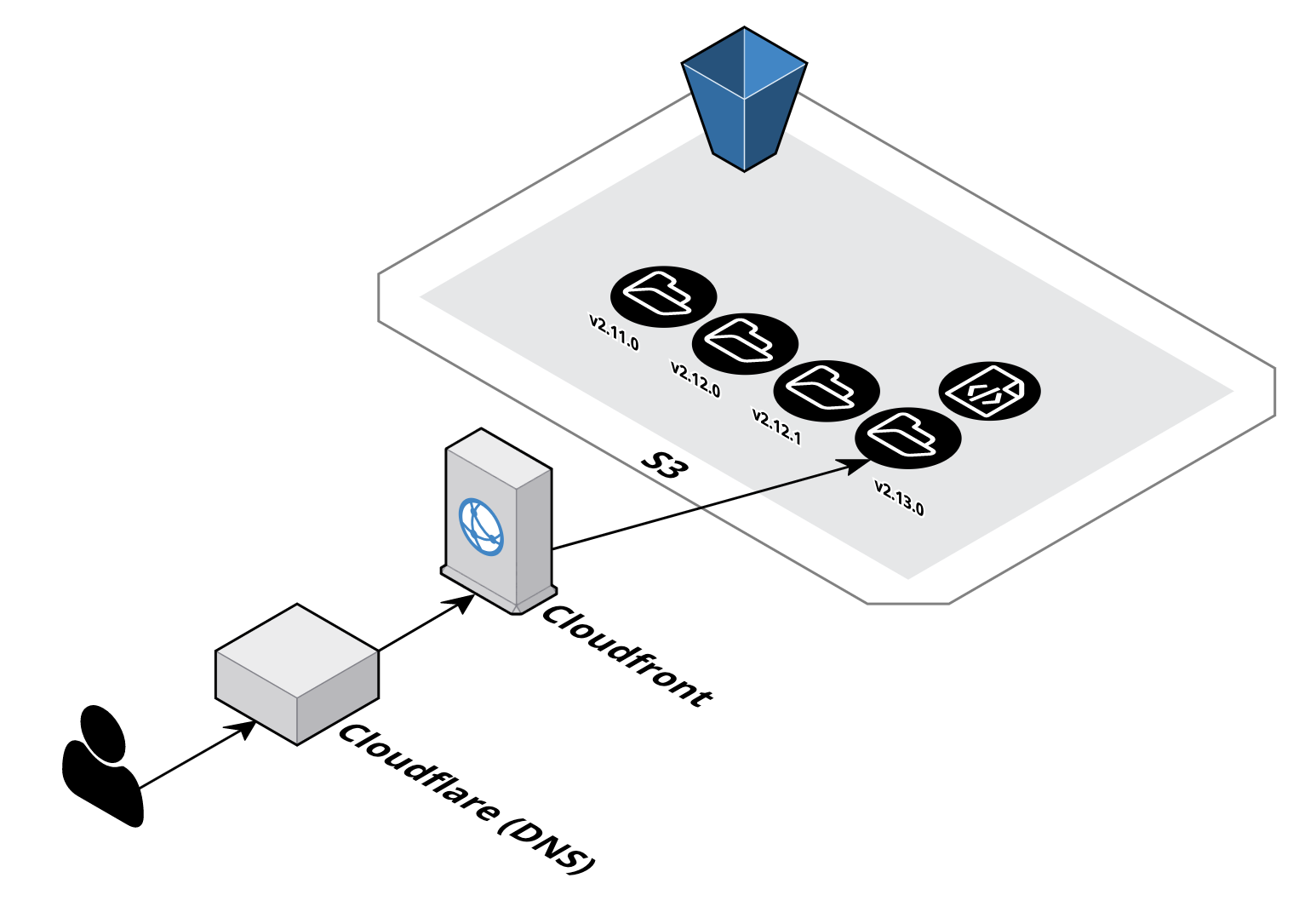
In this post I'm going to break down some of the problems we've had, and the strategy we made for setting up a CI/CD managed, versioned deploy system for static sites in AWS using S3 and CloudFront. While this will work for your personal site I don't recommend it as it is unlikely to stay within the free tier of AWS for very long.
There are a lot of resources available to set up a personal site on S3 on the free tier using Route53 for DNS. This approach didn't work for our needs for several reasons:
-
Atomic deployment
We don't want users being served in the middle of a deploy and getting the wrong assets. An example of this would be if a request came in for
index.htmlandapp.jsduring a non-atomic deploy, different versions of the assets could be served for that request. While S3 object uploads are atomic, there isn't a guarantee that a folder sync will be. -
Instant rollback
We wanted the ability to rollback a faulty deploy in seconds. With the setup described in most guides this would not be possible without going outside of the CI/CD pipeline and manually syncing compiled assets to S3.
Initial Struggles
The main problem is using S3 as a web server has limitations. The bucket name needs to match the DNS CNAME.
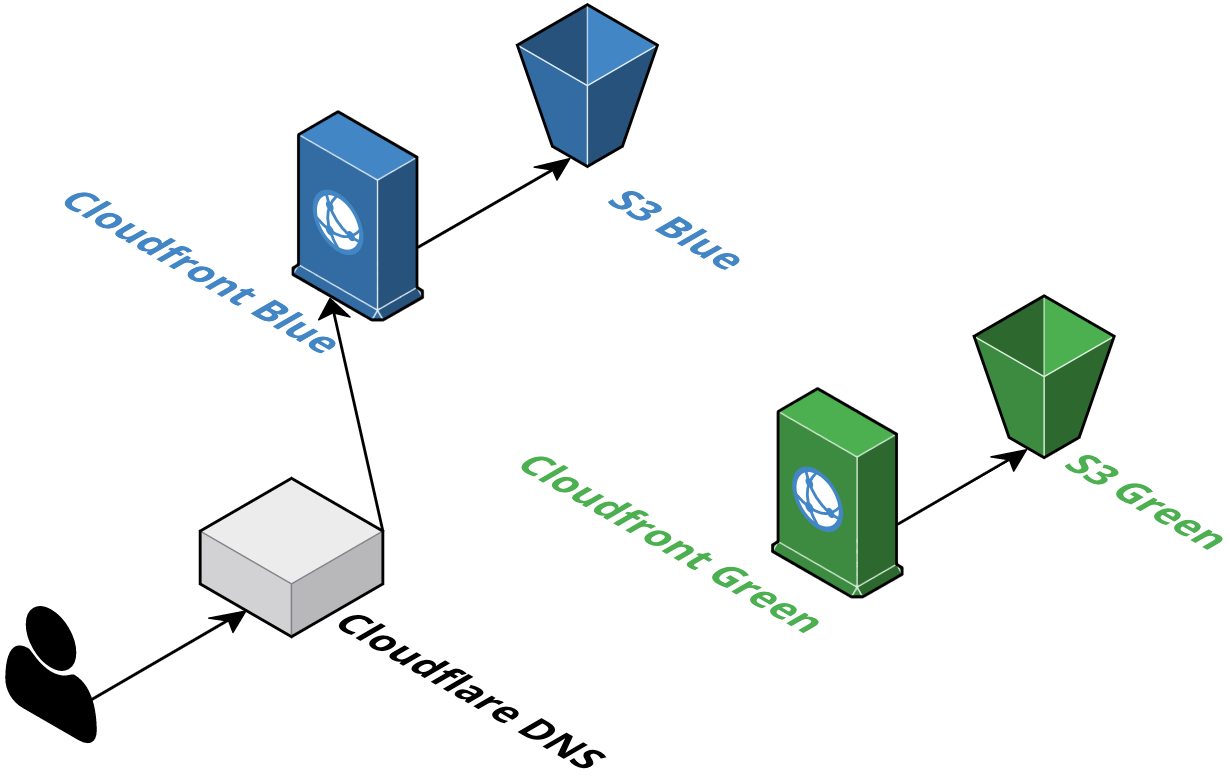
blue/green
Two Distributions:
The blue/green deploy strategy is outlined in Martin Fowler's famed blog post. The problem is that distributions in AWS can't be aliased to the same CNAME. So we can't have two distributions pointing to the same domain.
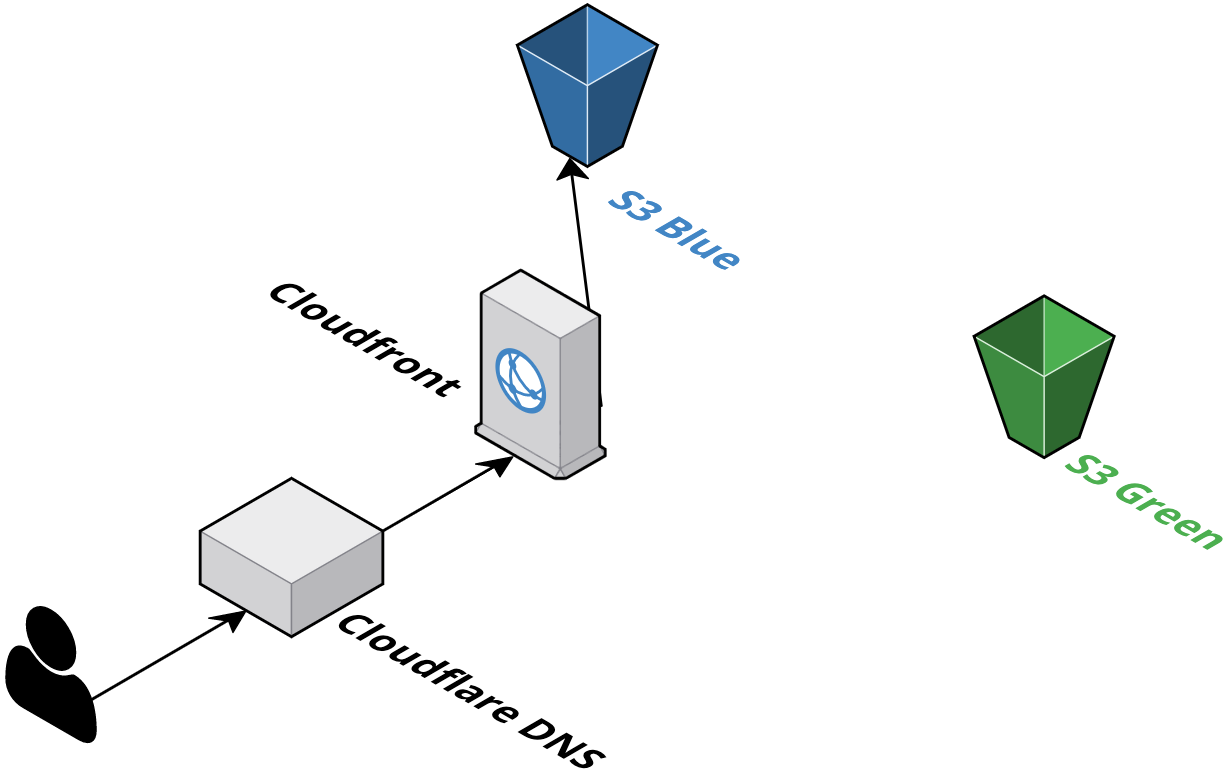
Two Buckets:
Similar idea here, but one distribution and 2 buckets. The issue we ran into was with the bucket naming "latching" on to the bucket with the actual site name (i.e. app.your-website.com). This might have worked with more finessing, but we discovered the folder solution while working with this.
Solution
Version folders in single bucket
While working on different distribution settings, we discovered the "origin path" setting for using S3 origins. This enables using a folder in a bucket as the "root" for the distribution. From there the distribution default object and error behaviors take effect. In CI we can use the AWS cli to manage actions to the infrastructure.
Atomicity
Since we are syncing to a new folder on the site bucket we don't have to worry about users getting served different content between deploys, or worse, those results getting cached and served for hours.
Failure Recovery
Failure recovery becomes as simple as changing the distribution path back to the last good deploy and invalidating the cache. This can easily be done in a script, enabling fast recovery.
Recipe
Ingredients:
- S3 bucket
- CloudFront distribution
- Domain name (from any DNS provider)
- GitHub repo
- Circleci (or other CI/CD pipeline)
Setup:
-
I'm going to assume that you already have GitHub setup with circle (or some CI/CD) at this point. There are lots of good guides for this if not.
-
S3
-
This is where you'll be putting the static assets for your app

-
For this to host we have it set up with public read permissions on bucket objects
- Improvement: only CloudFront needs to access the bucket directly
-
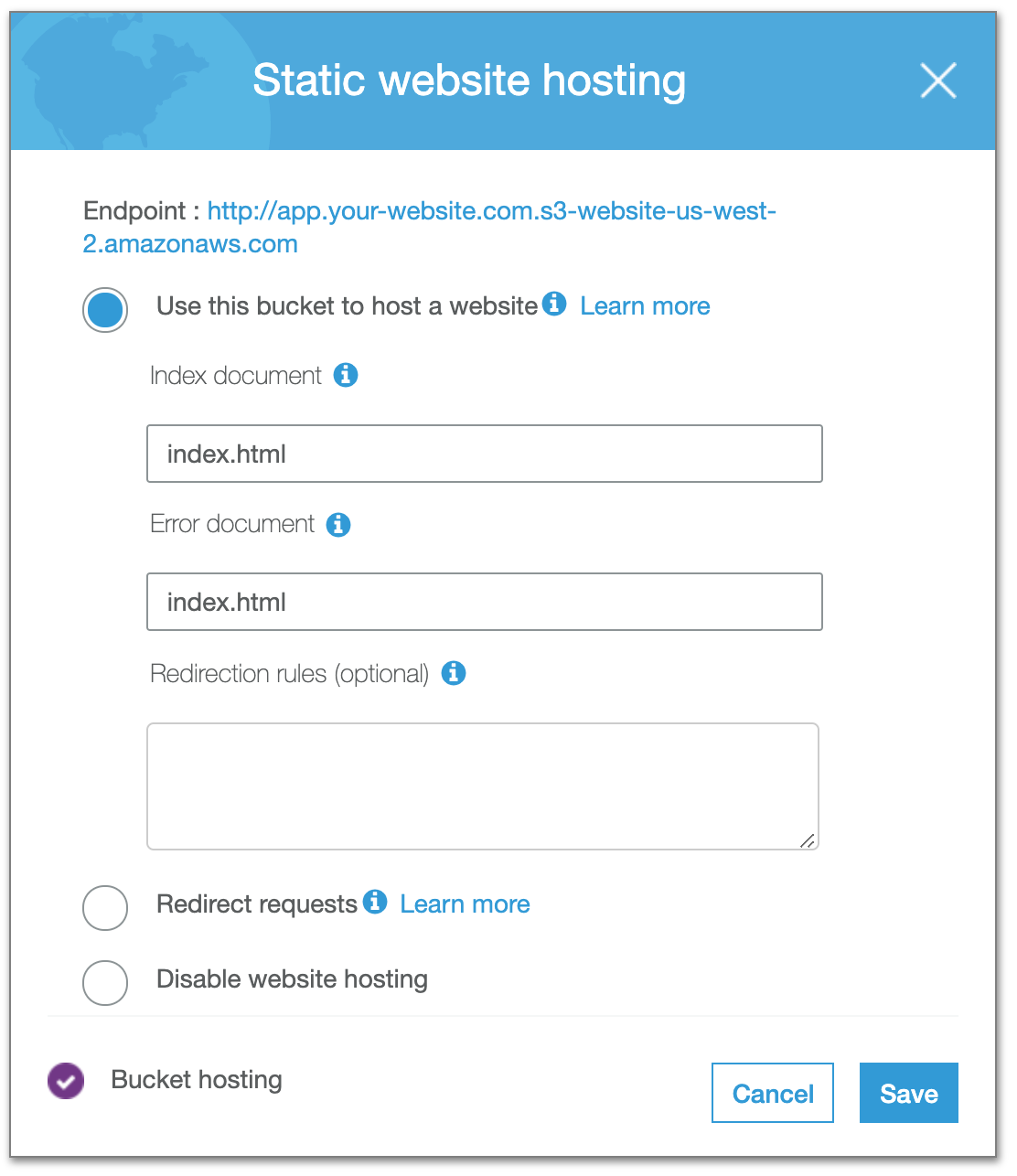
You'll need to enable the static site hosting option
-
Access Policy set to public read
  {
      "Version": "2008-10-17",
      "Id": "PolicyForCloudFrontPrivateContent",
      "Statement": [
          {
              "Sid": "1",
              "Effect": "Allow",
              "Principal": "*",
              "Action": "s3:GetObject",
              "Resource": "arn:aws:s3:::app.your-website-name.com/*"
          }
      ]
  }
-
-
CloudFront
-
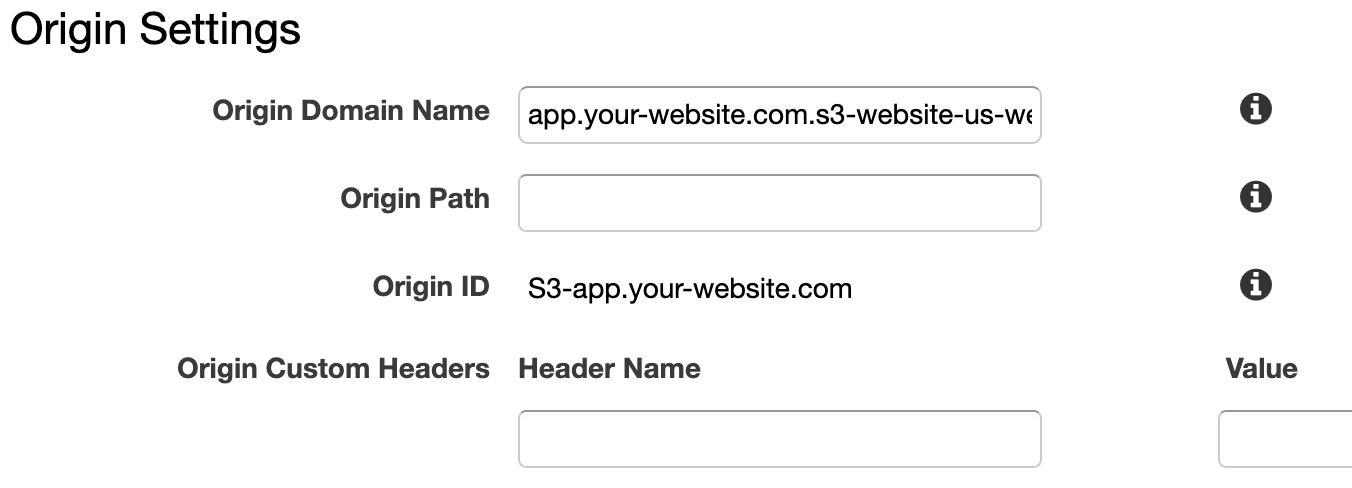
You'll want to point this distribution to your S3 bucket as an origin
- Note: make sure the origin includes
s3-website. This will ensure your assets are served properly
- Note: make sure the origin includes
-
You'll also need to enable
CNAMEaliasing to your domain name here. It's very simple to get the cert for SSL (we did it by DNS verification) to enable HTTPS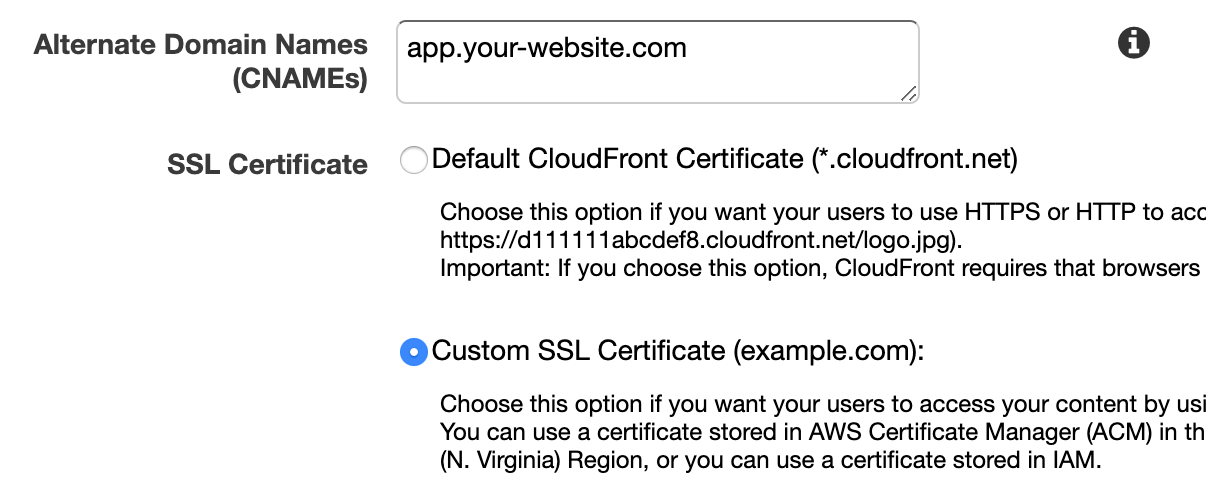
-
Set default object to index.html

-
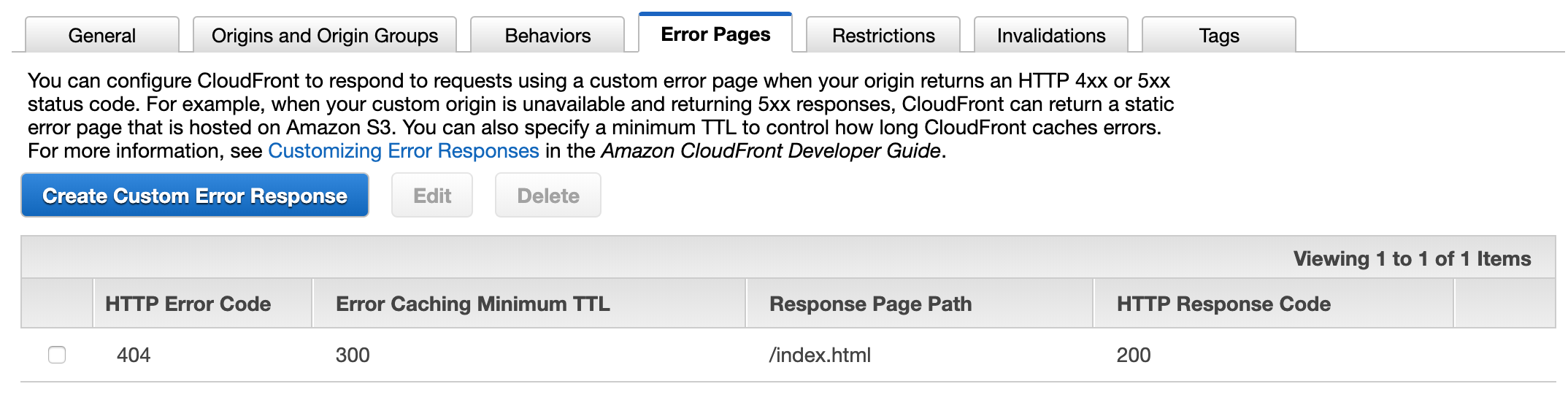
(optional) Create error page for rerouting 404s to index
-
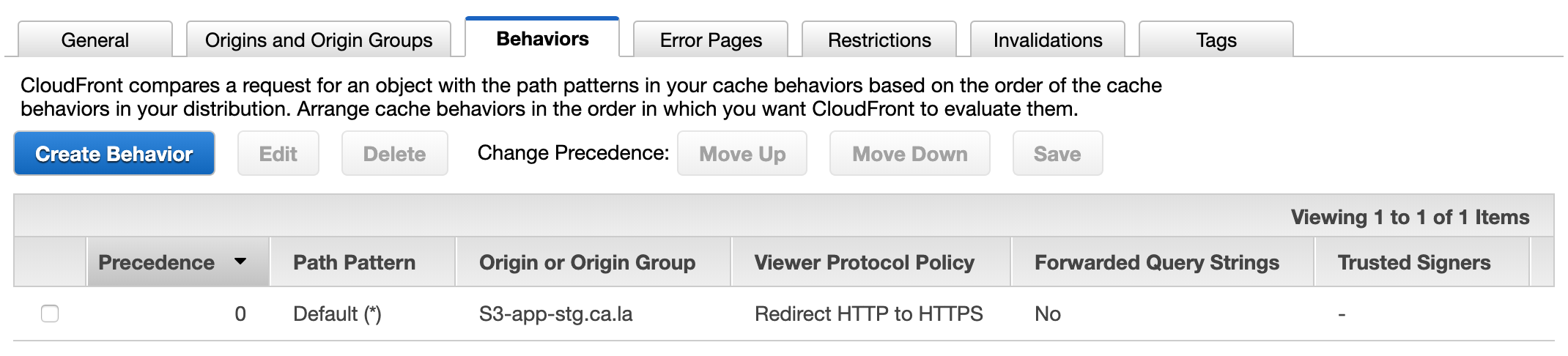
(optional) Create behavior for redirecting to HTTPS
-
-
CircleCi (steps will be similar on other CI platforms)
-
Set up AWS creds
-
AWS orb
version: 2.1 orbs: aws-cli: circleci/aws-cli@0.1.13 jobs: build: docker: - image: circleci/node:10.15.0 working_directory: ~/repo executor: aws-cli/default steps: ... - build: ... - aws-cli/install - aws-cli/configure: profile-name: circleci configure-default-region: false - deploy: ... -
Deploy script
Here is where things get a little tricky. The basic steps are:
- Get git tag for new folder
- Sync new assets to new folder in S3
- Change distribution origin path
- Wait for invalidation to complete
- Invalidate cache
-
Future Improvements
-
Limit growth of deploy bucket
You'll notice that we are never deleting versions from our deploy bucket. This can be useful for a few versions but not past a certain point. We could limit the bucket to have at most 10 versions for the extreme worst case (our last 9 versions all have serious flaws and we need to roll back to the 10th version).
-
Script rollback processes
This one is pretty simple. Right now a developer still needs to manually change the CloudFront distribution to roll back. A script could easily look for the previous release and change it.
-
Better logging
We currently don't have any special logging around the deploy processes, this will be invaluable when things go wrong in the future.